Browser extension
Like Meter for YouTube
Shows the like-to-view percentage for the video you're watching, right on the toolbar badge, read from the official YouTube Data API, never scraped from the page.
Free. Available on the Chrome Web Store and Firefox Add-ons.
Built differently
A view count or a like count alone doesn't tell you much. A video with 2M views and one with 200K views could have gotten the same audience response; what matters is the ratio between the two, and YouTube doesn't show it anywhere.
Most extensions that do this scrape YouTube's page with CSS selectors and break every time YouTube redesigns; one popular one still targets a node YouTube replaced years ago. This one has zero content scripts and zero CSS selectors. It never looks at the YouTube page at all; it reads the video ID from the URL and gets the view/like counts from the official YouTube Data API, the same numbers YouTube itself publishes.
What it looks like
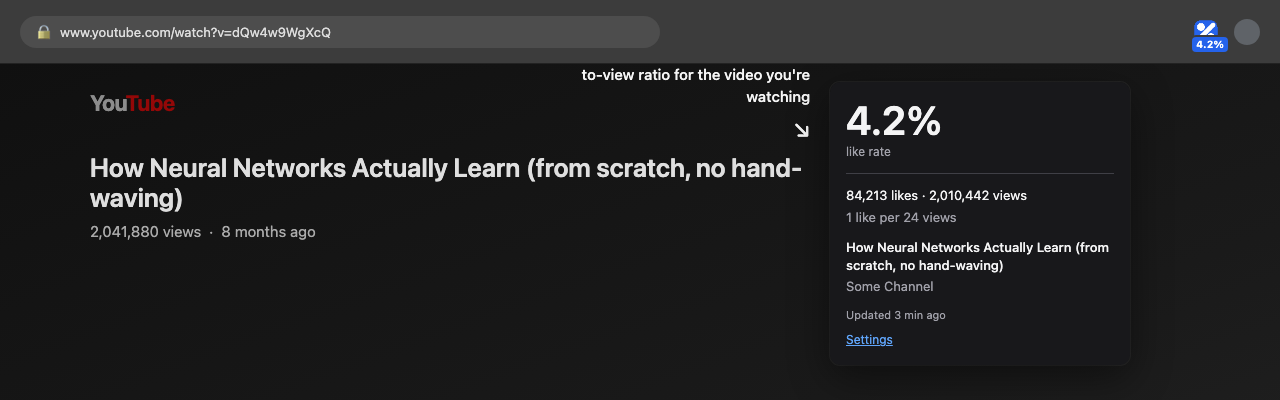
Toolbar badge + click-to-open popup.
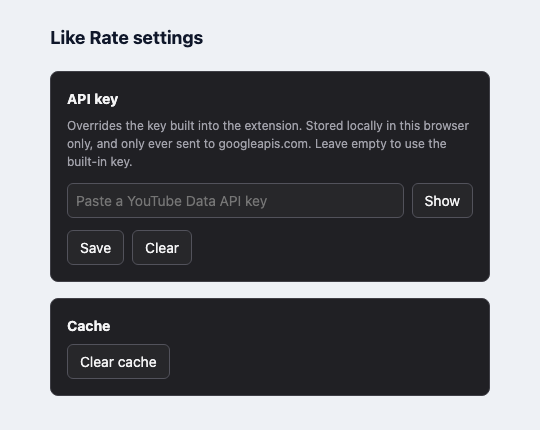
Optional settings: bring your own API key if you want to.
Privacy Policy
Last updated: 2026-08-27
What this extension does
Like Meter shows the like-to-view percentage of the YouTube video open in your active tab, on the browser toolbar badge.
What data it accesses
- The URL of the tab you're viewing,
via the
webNavigationpermission, only to extract the YouTube video ID when you navigate to or withinyoutube.com/youtu.be. No other site's URLs are inspected in a way that leaves your device. - Public video statistics (view
count, like count) for that video ID, fetched from the official YouTube
Data API v3 (
googleapis.com), the same public data shown on the video's own page.
What it does NOT do
- It does not read, modify, or inject anything into the YouTube page itself (no content scripts).
- It does not collect, transmit, or store your browsing history, identity,
or any personal information on any server we operate, because we don't
operate a server. The only network calls are directly from your browser
to
googleapis.com. - It does not use analytics, tracking pixels, or third-party SDKs.
- It does not sell or share data with anyone, because no user data is collected in the first place.
Where data is stored
Video statistics and a small cache are stored locally on your device only,
using the browser's storage.local API. Nothing is synced to any
account or server. Uninstalling the extension deletes this local cache.
Third-party services
Requests go to Google's YouTube Data API v3
(https://www.googleapis.com/) using an API key that identifies
the extension to Google, not you. See
Google's Privacy Policy for how Google
handles that request on their end.
Changes
If this policy changes, the update will be reflected on this page and in the extension's version notes on its store listing.
Contact
Questions: [email protected]